CorelDRAW Envelope

taper

Written by Jeff Harrison

February 19, 2017

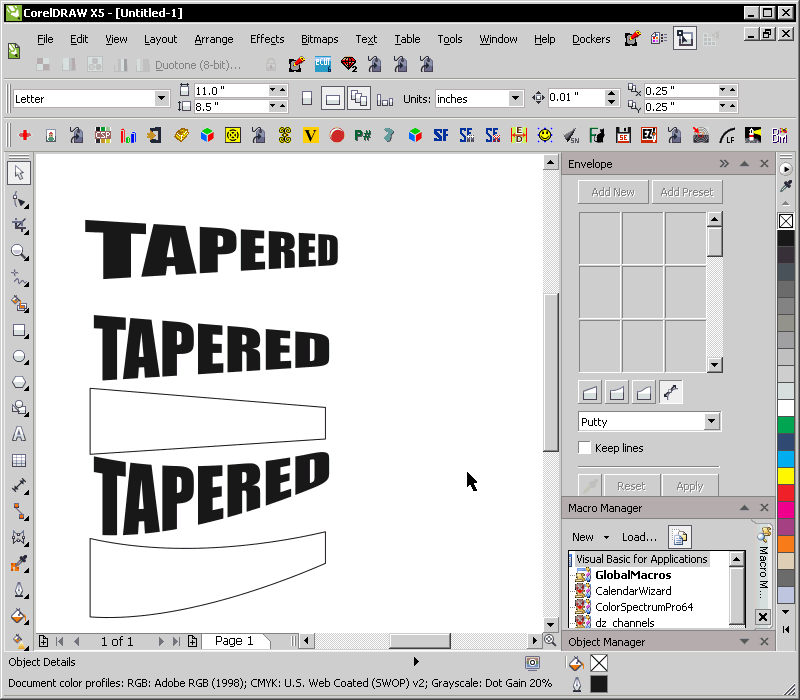
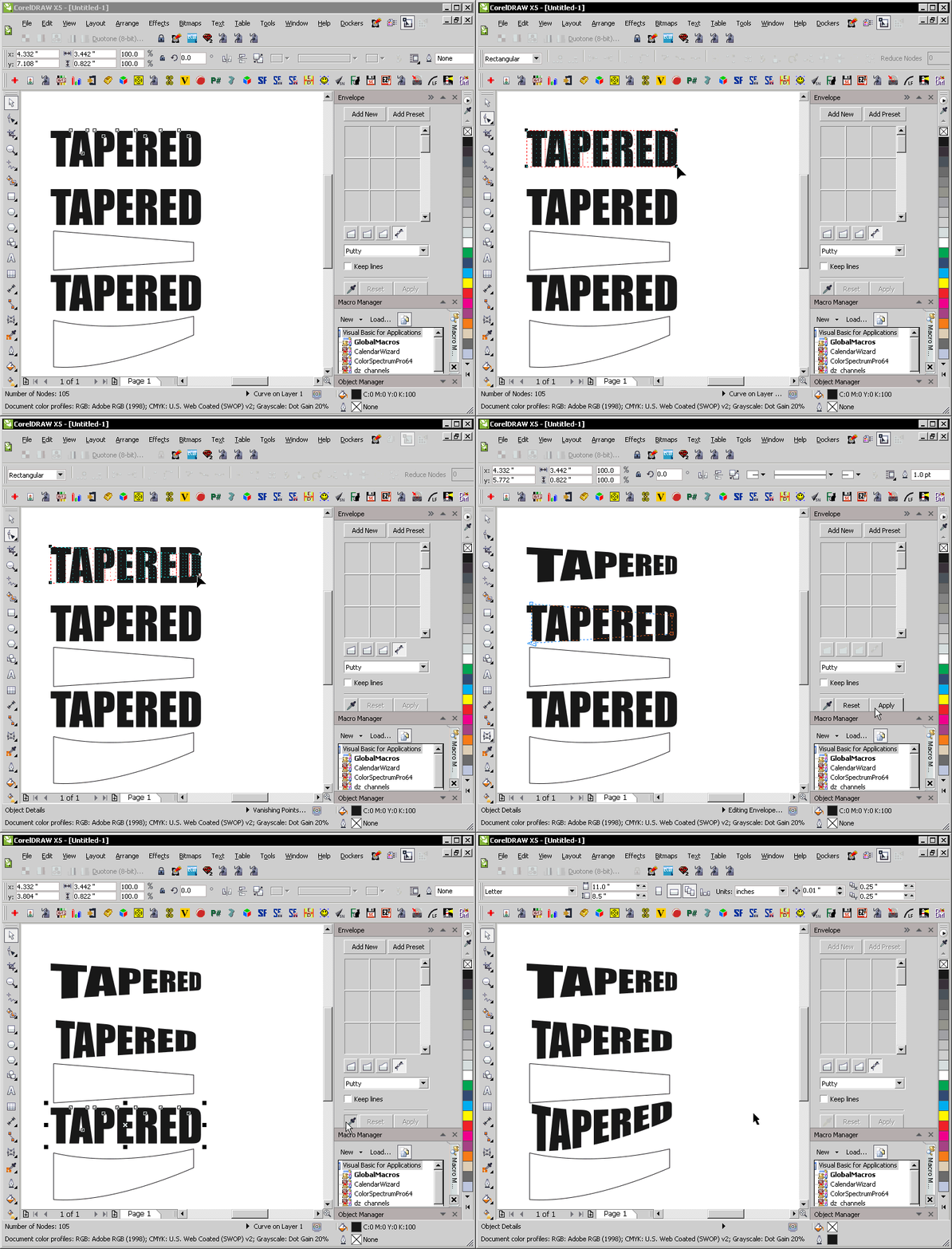
Here’s an animation showing a comparison between the use of CorelDRAW’s Perspective Effect, or using a custom shape as a guide for the Envelope Feature instead. Notice the difference in the letters between the top two examples. The third example shows how a custom Envelope shape can do much more than the Perspective effect ever could. Click on the image for a clearer view.
tapered

Post Discussion

0 Comments

Submit a Comment

Your email address will not be published. Required fields are marked *


This site uses Akismet to reduce spam. Learn how your comment data is processed.

You May Also Like...

CorelDRAW X6 Unleashed

Two New Free CorelDRAW Videos Available

While my career has moved away from CorelDRAW, I do have a large amount of content I created in the 25 years where it was my main focus. Recently I saw several users asking questions about a specific workflow that I know is as simple as a single click. When I saw some...

View Full Post

Jeff Harrison

Jeff Harrison is a media "Jack-of-all-trades", familiar with most of the major media applications on the Windows platform. Whether it's 2D/print, 3D, audio, video, or web-related - he's working on mastering everything that comes his way. He's a past Alpha and Beta tester for Corel, and has instructed students from all over the world. He runs the popular MacroMonster.com site, the #1 place for CorelDRAW macros. Also check out his youtube page, and his gallery at coreldraw.com.

Build Divi WordPress Site
WordPress Site Care
Divi Tools
Graphics Unleashed Logo

Get 101 Free Fonts!

Subscribe to receive the latest posts from Graphics Unleashed and we'll give you 101 FREE fonts! Download immediately after subscribing.